
We made pmConfigure for our customers’ simulators: several PCs, often one with internet. It configures the Project Magenta programs you own. One window per PC.
READ ONLY is on by default: it reads and suggests, and writes nothing of yours. It checks the PC: hardware, program folders, settings, registration keys, logs, Windows settings. It names the simulator running – Prepar3D, FSX, X-Plane 11 and 12, Microsoft Flight Simulator 2020 and 2024, FlightGear – and whether it answers. Identify devices asks the COM ports, once each, what is on them. It brings the updates for the programs you have keys for; each file it replaces is kept, Undo puts it back. Ask Project Magenta sends us the report and the logs, not your keys or passwords, and shows our answer in the same window. Save rig book puts the whole simulator on one page.
One PC with internet is enough. It sends the other PCs’ reports to us, and passes our answers and the updates back to them.

Updates and Ask Project Magenta need internet on one PC of the simulator. The checks work offline.
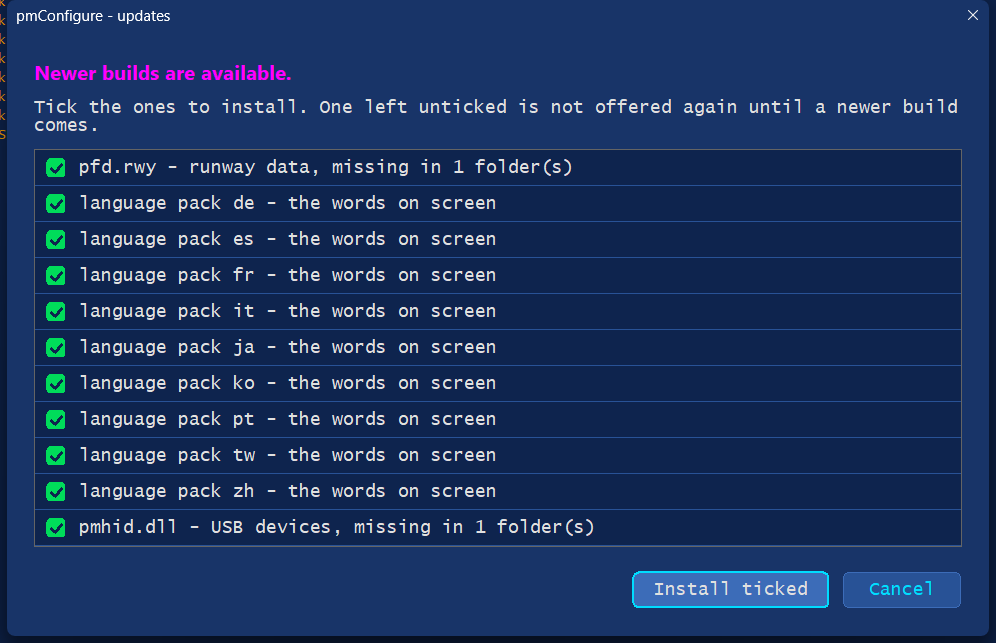
How it works, step by step: pmConfigure.
Customers get pmConfigure from Your Updates, logged in. An older download brings itself up to date at the first start. It asks first.