
Instructor Station
Flight Control, Failures, Mapping… and many other Features
This software was written for Microsoft Flight Simulator 2020 and 2024, Prepar3D V5 and V6, X-Plane 11 and 12, and FlightGear 2024.

One operator position for the whole simulator. It runs on its own PC and connects over the
network, so the instructor repositions the aircraft, sets the weather, loads the fuel, watches
the flight and records it without ever reaching into the flight deck. Several instances can run
on one computer across multiple monitors.
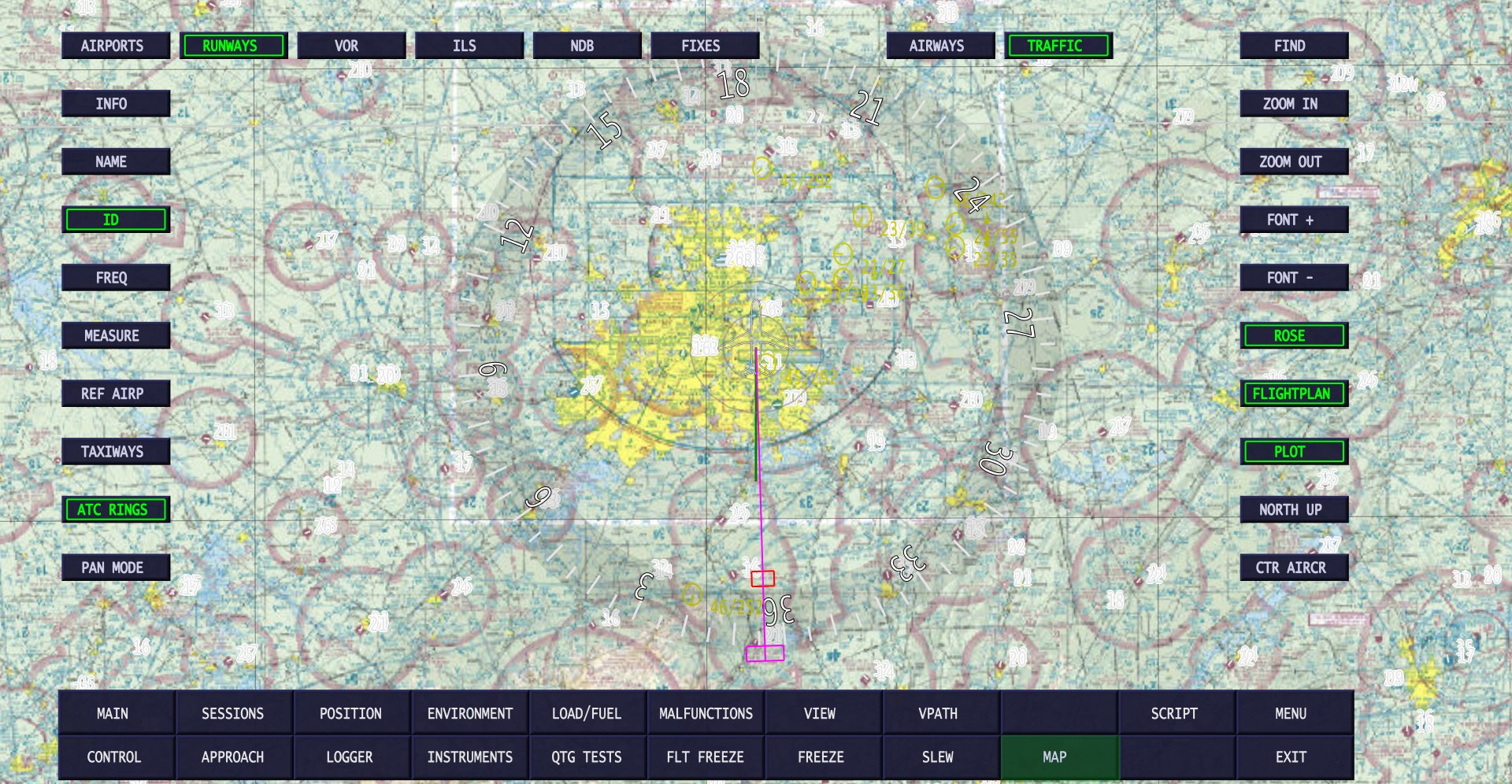
FAA VFR sectional under the live aircraft – the Atlanta Class B, with surrounding traffic labelled by altitude and speed
The interactive dynamic map draws terrain, airways, navaids and airports from a worldwide
database of more than 90,000 entries, with the aircraft live on top of it and its flight plan
ahead. Recent builds add FAA chart tiles – VFR sectional, IFR low and IFR high –
fetched as you pan and zoom. Above, the Atlanta Class B with the aircraft descending through it,
and the traffic around it labelled with altitude and speed.
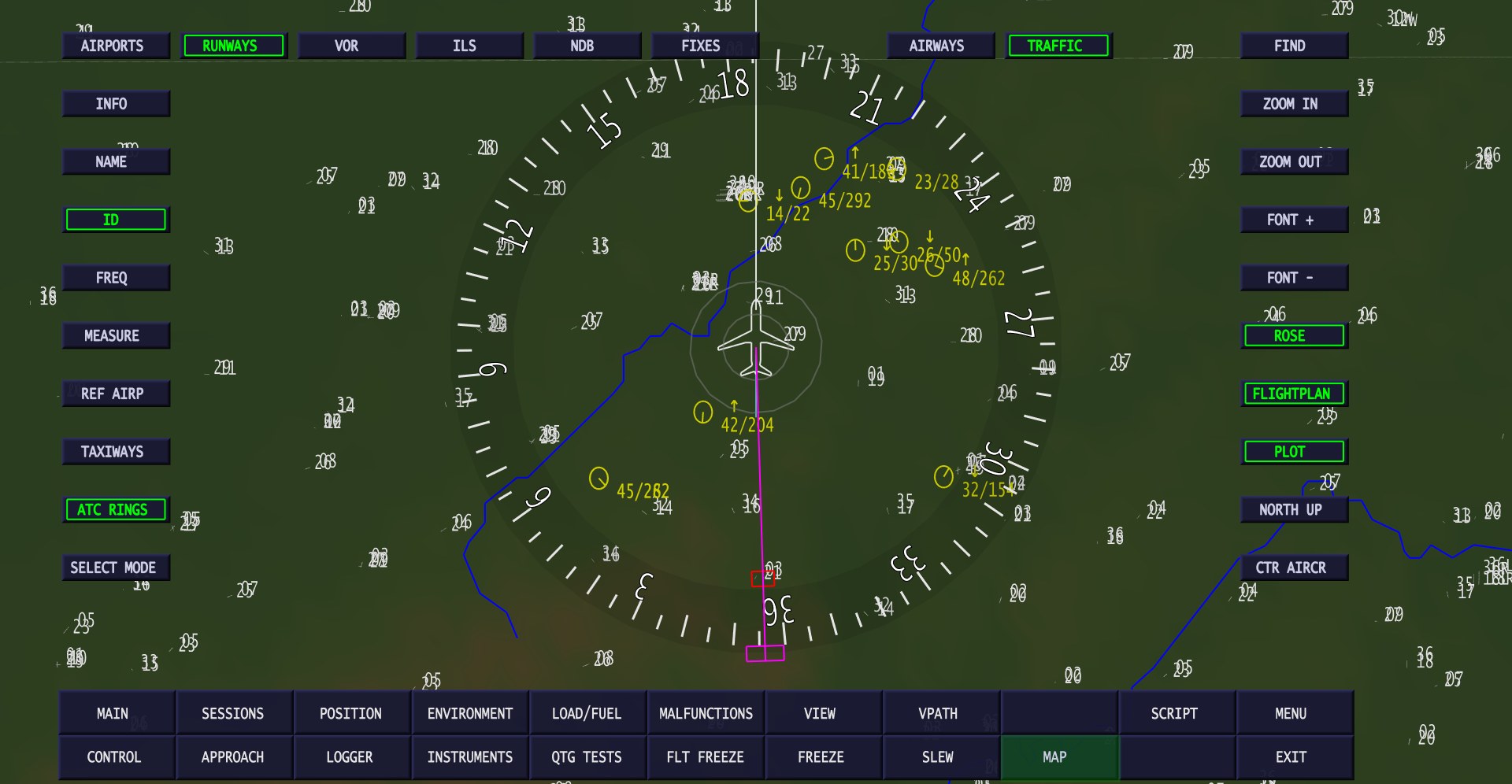
The dynamic map with terrain shading, ATC rings, airways and traffic
The same map without the chart underlay: terrain shading, ATC rings, airways and traffic.
Airports can be queried for frequencies, runways and taxiways, and any two points measured for
bearing and distance. The aircraft can be repositioned by clicking the map.
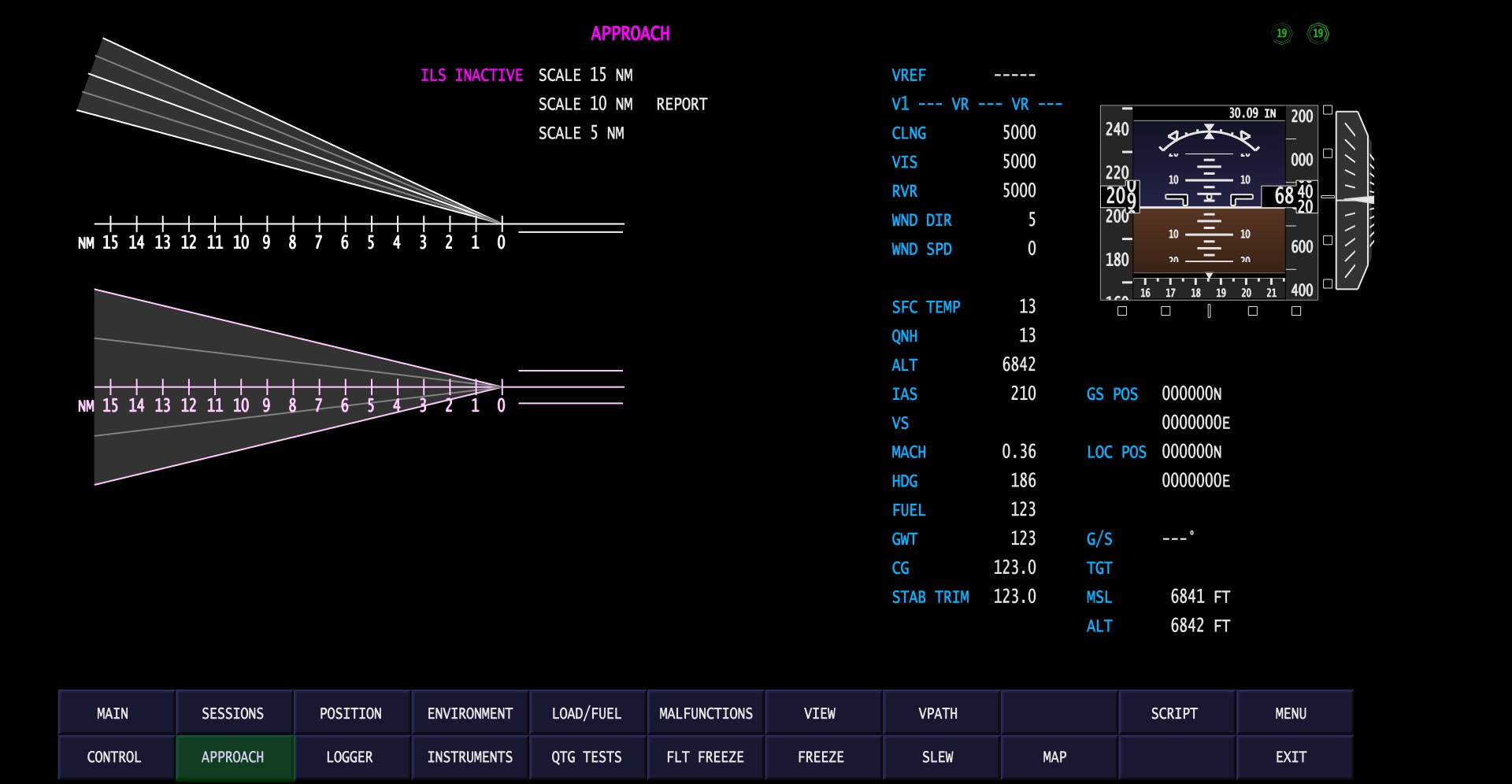
Approach profile and plan views, with a live PFD repeater and the instructor’s figures alongside
Profile and plan views of the approach at 15, 10 or 5 NM, beside a live primary flight display
repeater and the figures an instructor actually watches: V-speeds and VREF, ceiling, visibility
and RVR, wind, surface temperature and QNH, Mach, gross weight, centre of gravity and stabiliser
trim. The overview can be printed for the debrief.
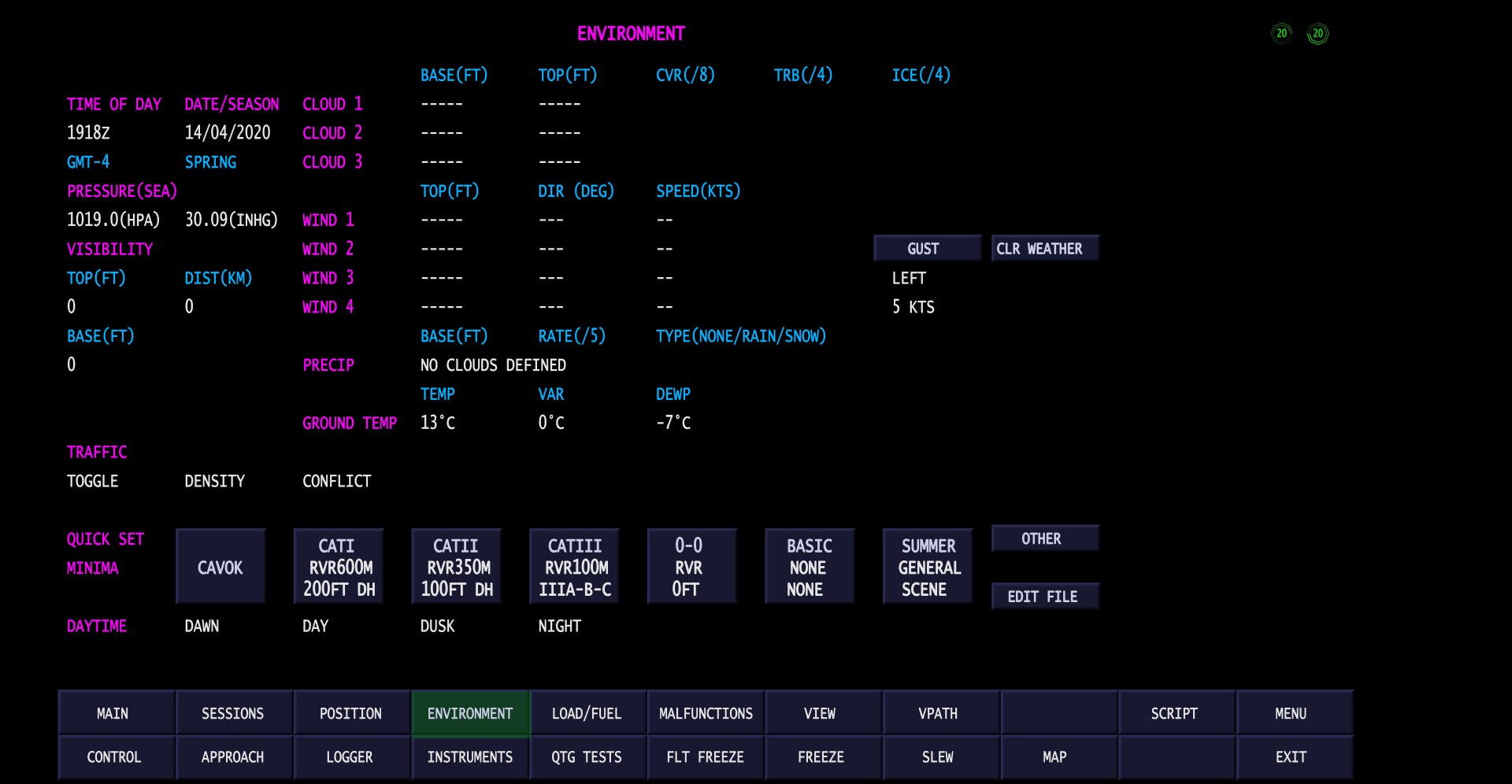
Weather, with CAT I, CAT II, CAT III, 0-0 and CAVOK one click each
Time of day, date and season, pressure, visibility, four independent cloud layers, four wind
layers, precipitation, ground temperature and dewpoint, turbulence, icing and traffic density.
CAT I, CAT II, CAT III and 0-0 minima are one click each – and so is CAVOK, when the exercise
should start again in clear air.
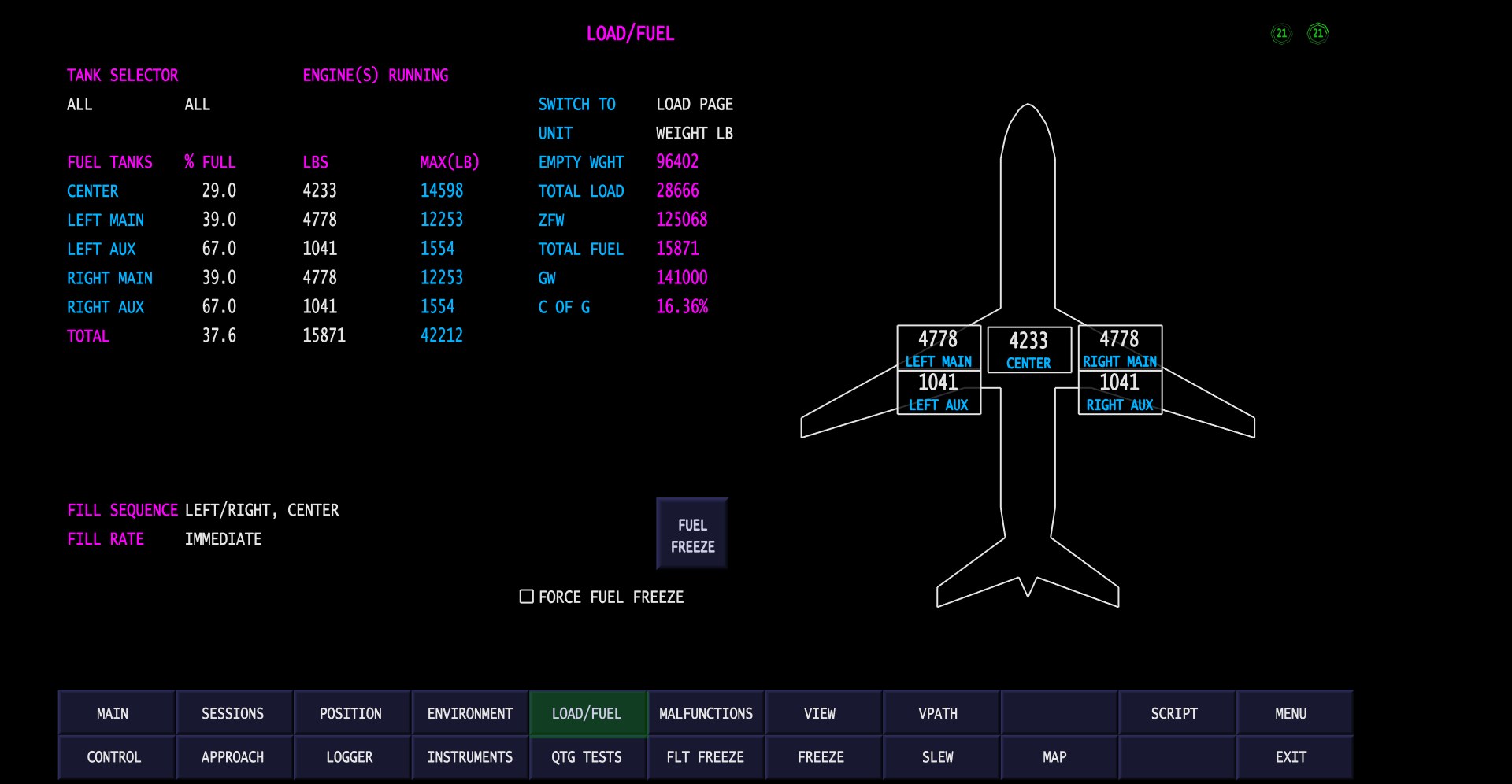
Fuel by tank on the aircraft, with ZFW, gross weight and C of G recomputed as you type
Fuel by tank, shown on the aircraft, with zero fuel weight, gross weight and centre of gravity
recomputed as you enter it. Fill sequence and fill rate are configurable, and fuel can be frozen
outright for a lesson that is not supposed to be about fuel.
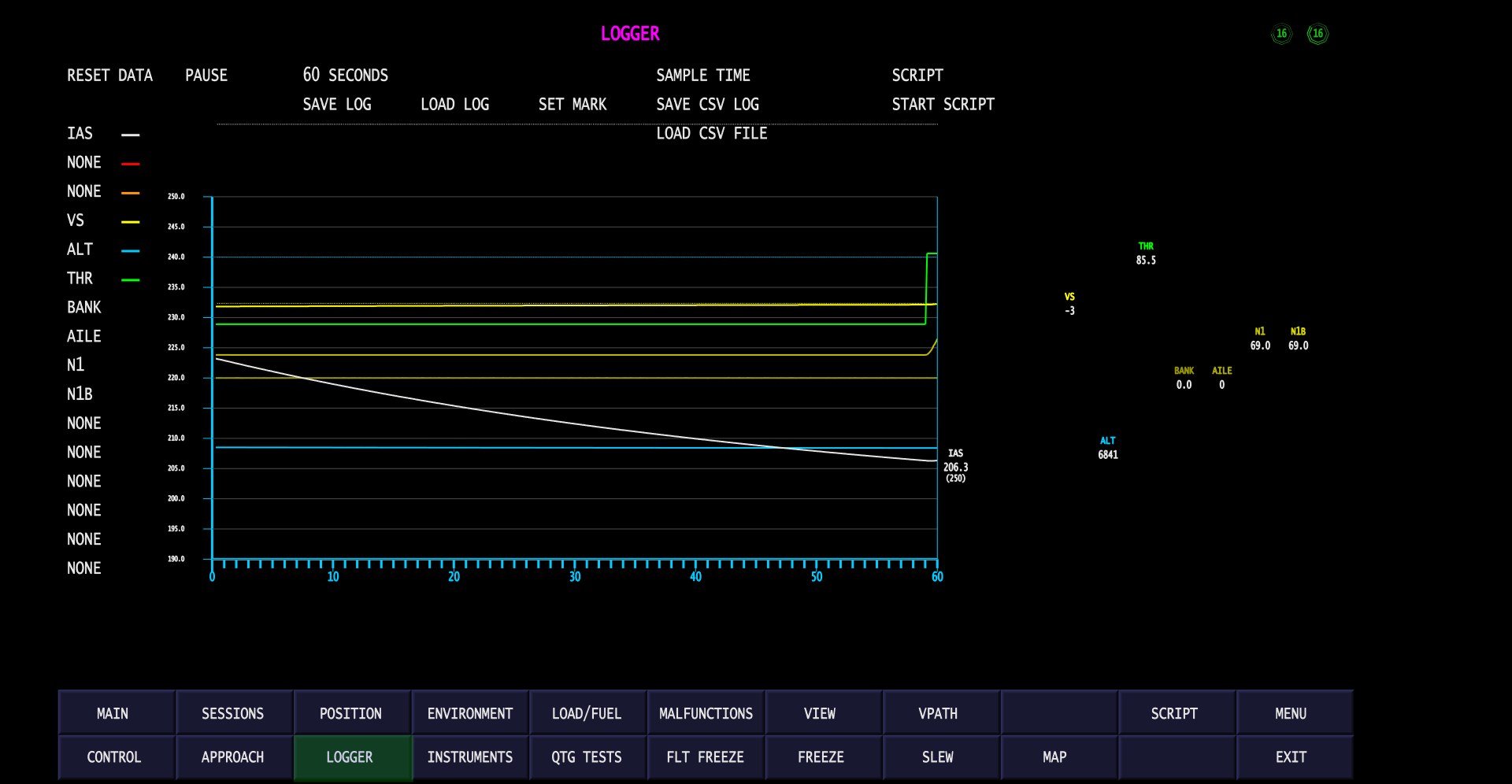
The graphical data logger, recording the descent live
A graphical data logger plots whichever parameters you choose – the example shows indicated
airspeed, altitude, vertical speed, thrust, N1, bank and aileron – with marks, CSV export and a
script trigger, so that a debrief has something to point at rather than something to remember.
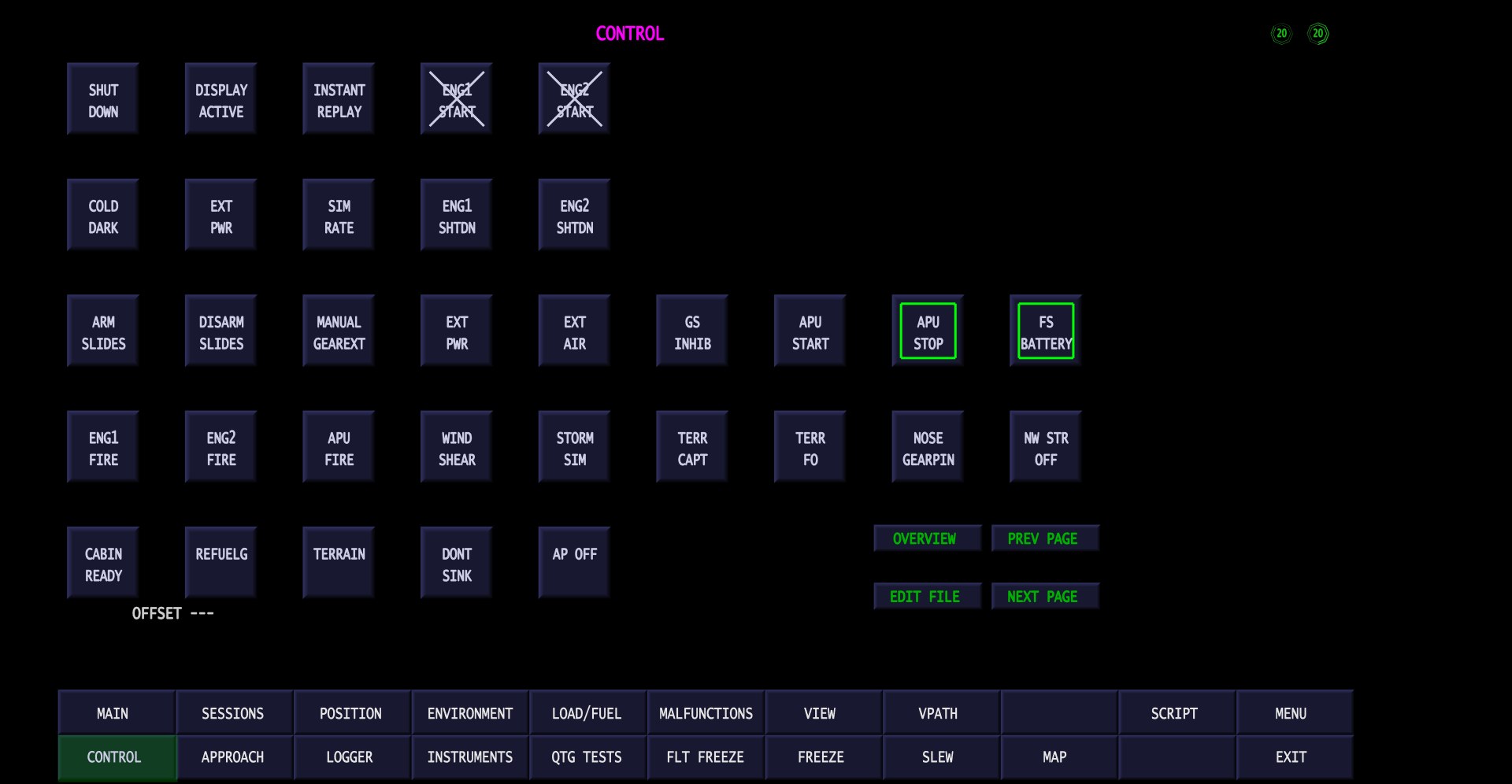
Simulator control: replay, cold and dark, ground services, fires, windshear and terrain warnings
Instant replay, cold and dark, external power and air, ground services, engine and APU fire,
windshear, storm, terrain and don’t-sink triggers, slides, manual gear extension, nose gear pin
and cabin ready – each one a single button, and each one definable by the user.
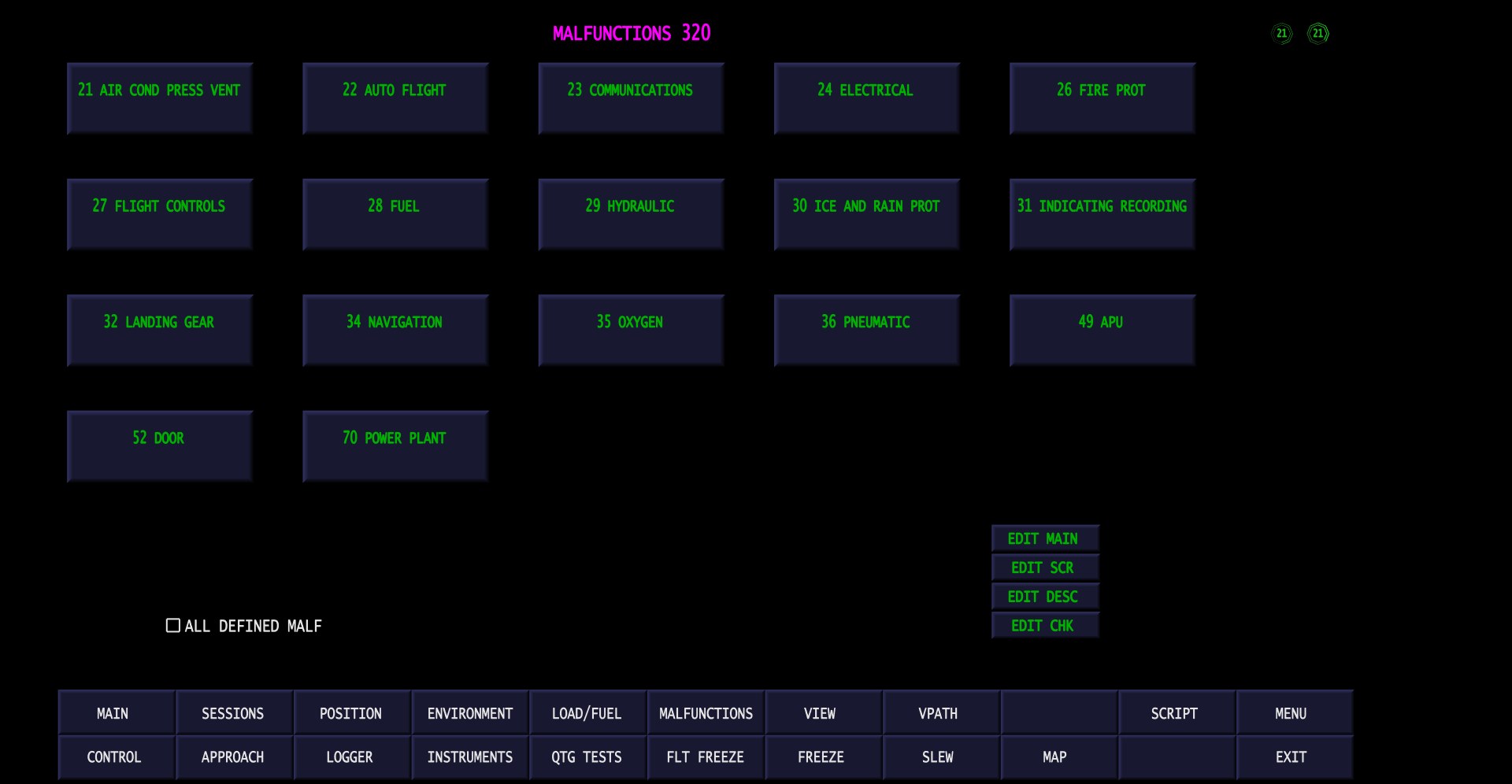
Malfunctions by ATA chapter (expanded licence)
Malfunctions are organised by ATA chapter – air conditioning, autoflight, communications,
electrical, fire protection, flight controls, fuel, hydraulics, ice and rain protection,
indicating and recording, landing gear, navigation, oxygen, pneumatics, APU, doors and power
plant. They are fully user configurable, with their own offsets and interfacing to pmSystems.
Malfunctions, eQTG and certain other features require the expanded Instructor Station
licence.
The Instructor Station also serves its own pages over HTTP, so any device on the network with a browser – a tablet on the flight deck, a phone, a second PC, over WiFi if you have it – becomes an instructor position with nothing to install on it. The pages are plain HTML and CSS sitting in a folder beside the program, so an operator can lay out the controls they actually use and leave out the ones they do not.
- Interactive dynamic map, with FAA VFR and IFR chart tiles
- Worldwide navaid database with 90,000+ entries
- Airport, taxiway and gate positioning and display
- Approach control and overview (with printout)
- Environment and weather interface (fully user definable)
- Load and fuel input and control
- Controls (user definable offsets and modes)
- Graphical data logger, with CSV export
- Aircraft attitude display
- 3D outside view
- Vertical flight path and vertical flight plan displays
- Session recording and instant replay
- Multiple instances on the same computer (multi-monitor)
- Failures and malfunctions by ATA chapter, interfacing to pmSystems (expanded licence)
- eQTG (expanded licence)
Screenshots taken live against Prepar3D v5, with the Instructor Station connected over the
network to the simulator PC.